Documentation
ADvantage Premiere® Password Manager (SSPR) Documentation
ConfigurationCenter
SMTP Settings
You are NOT required to configure the SMTP settings. However, if you want users to receive notifications of any type via email, a mail relay or actual SMTP server can be used.
If you would like to have the users receive notifications, click the Enable checkbox in the upper right.
- Enter the SMTP server
- Enter the Port for the SMTP server
- Choose whether or not your particular server uses SSL and/or requires authentication to the SMTP relay/server
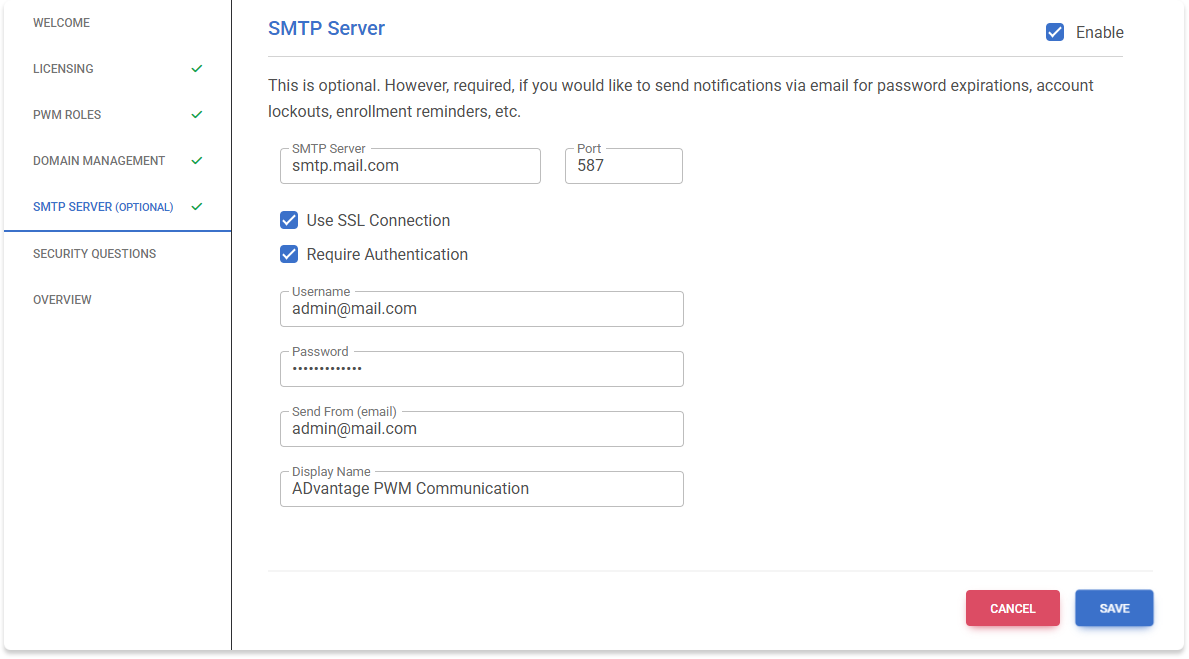
After entering the SMTP settings, click SAVE.
Once SAVE is clicked, you have an option of testing the SMTP settings by sending a test email.