Documentation
ConfigurationCenter
Security Questions
A minimum of 3 Security Questions are required.
The security questions will be chosen from a dropdown upon user enrollment.
To add a security question, simply enter the question in the Question field and click ADD QUESTION.
Continue adding additional questions in the same manner.
NOTE: Best practice is typically recommended to be between 5 and 10 but it's all based on preference.
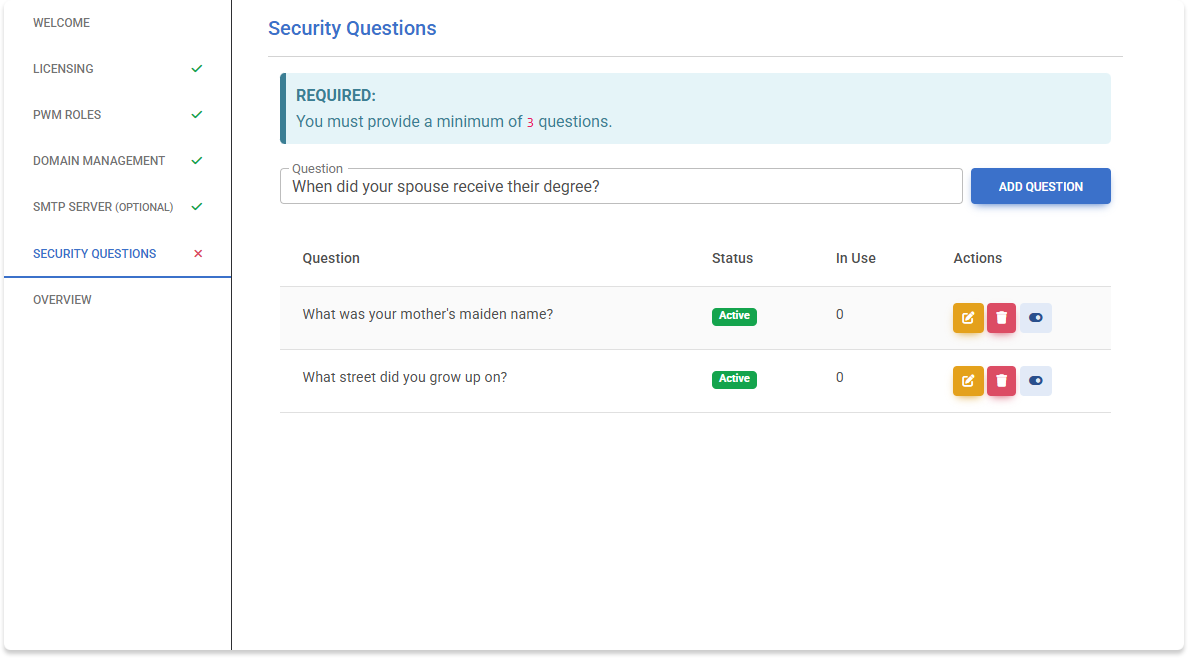
Administrators can come back at any time to edit any of the questions, by clicking the orange pencil icon as shown in the screenshot below.
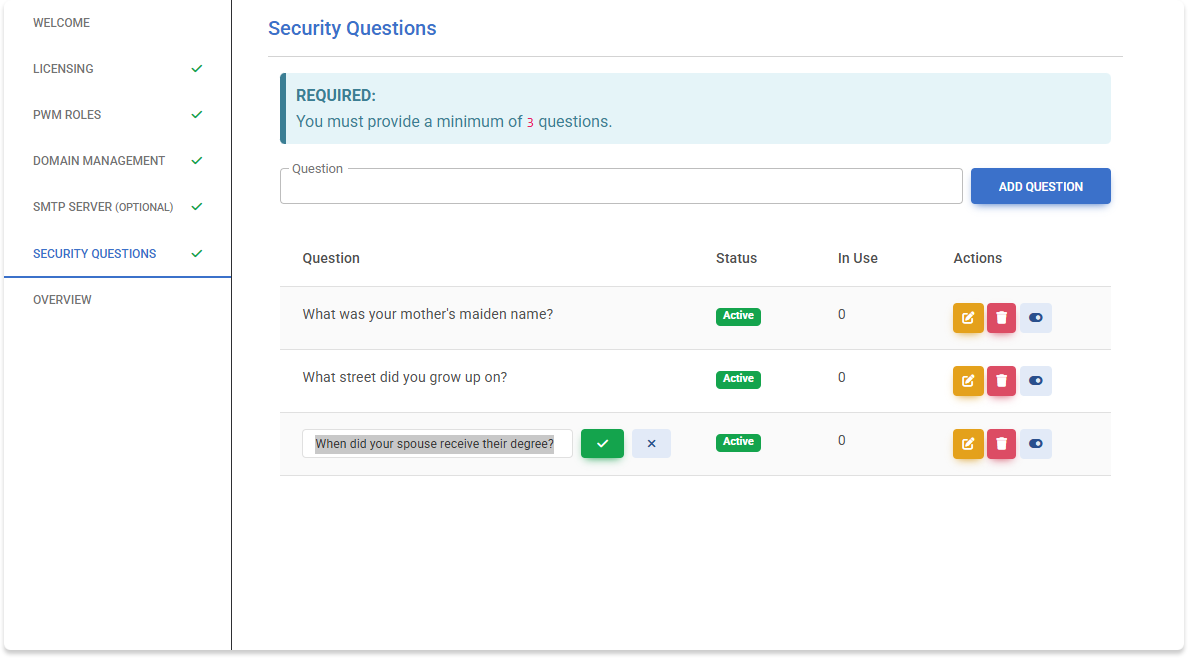
Administrators can also choose to mark questions Inactive/Active, by clicking the light blue toggle button.
To delete a question, click the red trash can button.
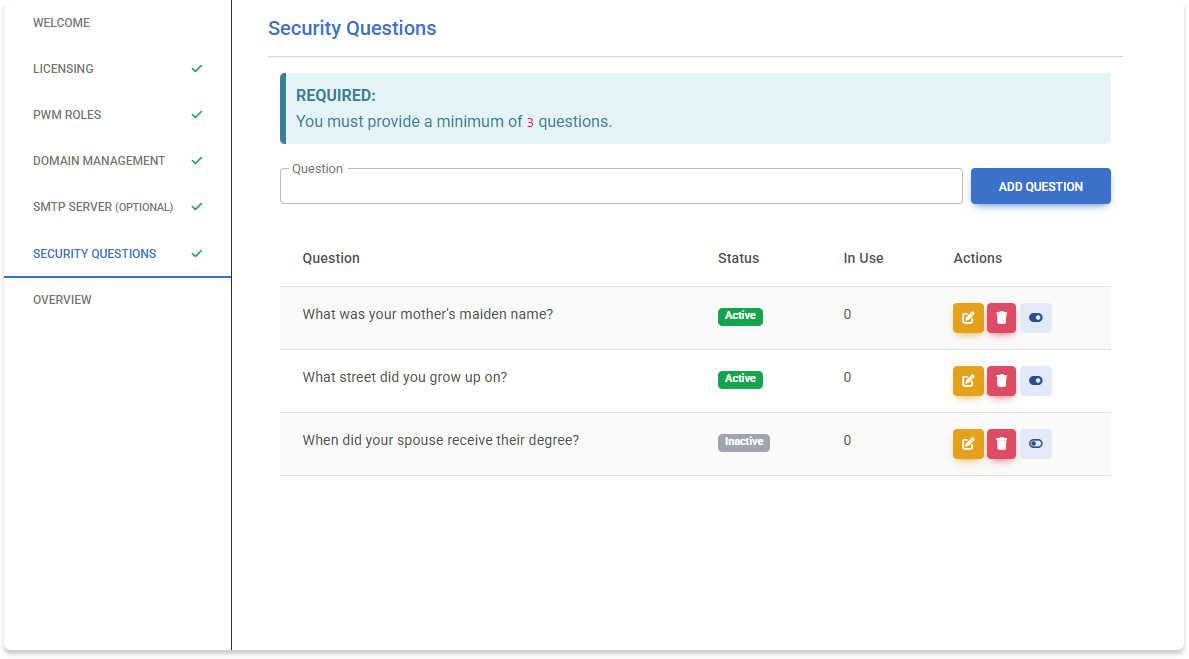
The column for In Use indicates how many user profiles have that question selected.
WARNING: If you chose to delete a question where it was currently In Use by a user's profile, it will force those users to recreate their questions/answers profile during next login.
If you want to increase the minimum questions the user selects, that requires a manual edit in the conf.json file in the root directory of the application server. This was by design to prevent client side manipulation.