Documentation
ConfigurationCenter
PWM Roles (Password Manager AD Groups)
It is recommended to create a separate domain group for the ADvantage Premiere® Password Manager Administrators Group. The Domain Admins group has access by default, but it's best to segment it with an actual administrators group. Example: “PWM_Admins”
The ADvantage Premiere® Password Manager Administrators Group has visibility of all global settings as well as access to reporting, while, the standard ADvantage Premiere® Password Manager Users Group only has access to manage their own domain account(s). Administration access should be limitied.
If you do not want the ADvantage Premiere® Password Manager to accept ALL users, you can specify a separate group for that as well. Or, you can include ALL by doing: <domain>\Domain Users
Each of these fields in the ConfigurationCenter for the PWM Roles, are required to be in the format of: <domain>\domain group
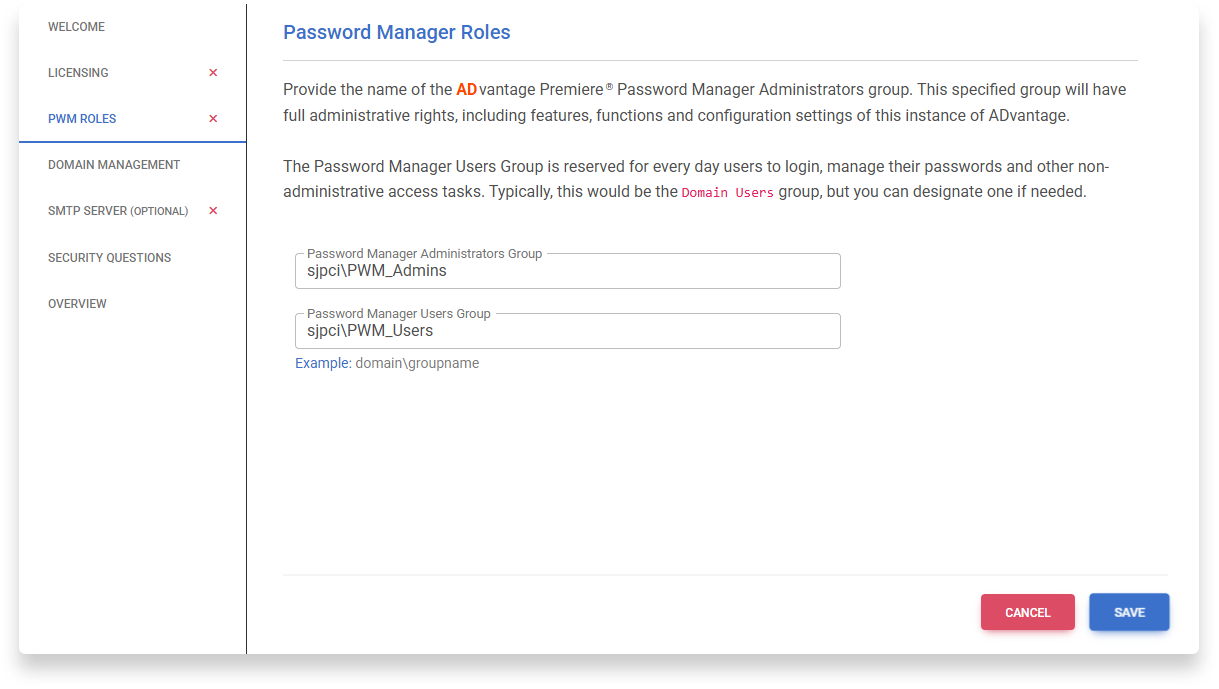
After entering the groups, click Save