Documentation
ADvantage Premiere® Password Manager (SSPR) Documentation
Administration
Edit Email Templates
The Edit Email Templates section is used for editing the emails that are sent for notifications in the ADvantage Premiere® Password Manager.
Administrators can edit the following templates:
- Account Lockout
- Enrollment Confirmation
- Not Enrolled Reminder
- Password Expiring
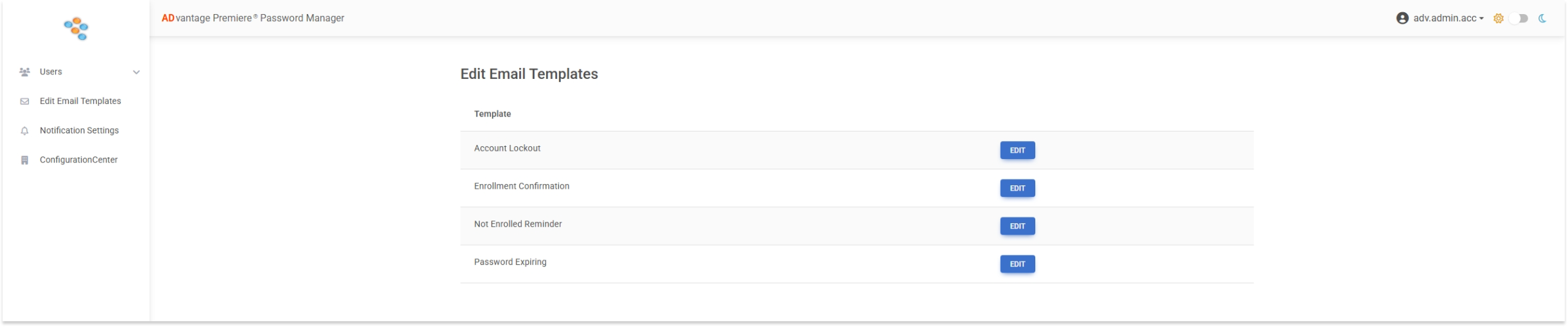
To edit an email template, click the EDIT button next to the desired email template to edit
You can edit the following
- Subject
- HTML Body
- Select proper placeholders
Each change made in the HTML body will automatically be updated in the Live Preview pane below the HTML body
The Live Preview will show you what the email will look like
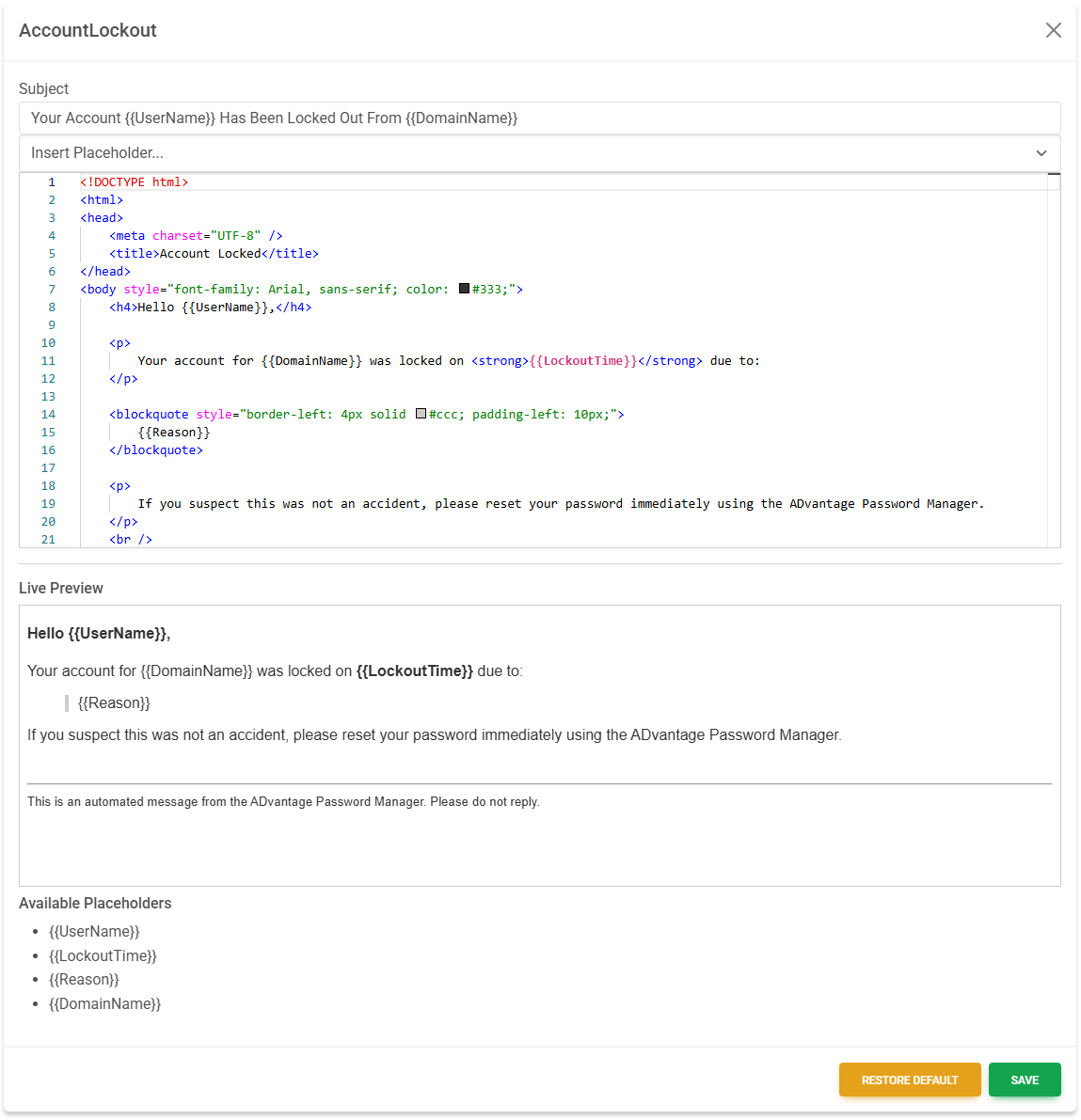
When finished editing the desired email template, click the SAVE button.
At any given time, you can restore the default template by clicking the RESTORE DEFAULT button.